
Experience Decisioning
Adobe Journey Optimizer Code‑Based Experiences on an Edge Delivery Services Site
Code‑Based Offers on an Edge Delivery Services guide
This guide shows how to connect Adobe Journey Optimizer (AJO) Code‑Based Experiences to an Edge Delivery Services (EDS) page
Configuring AJO Code‑Based Offers on an Edge Delivery Services Page
This guide shows how to connect Adobe Journey Optimizer (AJO) Code‑Based Experiences to an Edge Delivery Services (EDS) page so that:
- Authors define an
offersblock in document authoring. - Adobe Tags (Web SDK) discovers all offer surfaces on the page and calls AJO once.
- AJO Code‑Based Experiences return a JSON payload with offers for each surface.
offers.jsrenders those offers into the EDS block.
All examples use this lab page, where the personalized offers appear below the hero:
https://edgepatterns.dev/labs/ajo-code-based-experience-eds
The surface below the hero is:
web://edgepatterns.dev/labs/ajo-code-based-experience-eds#offers-below-hero
1. Authoring: define the offers block and surface name
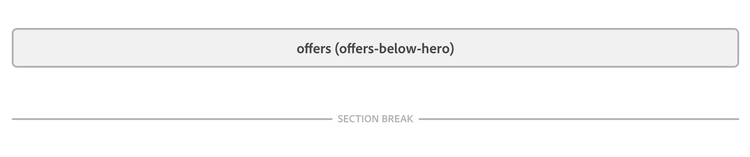
Authors work in document authoring (Docs/Word/SharePoint) and create an offers block using a table.
The first header cell defines the block type (offers).
The second header cell defines a surface key, which becomes part of the surface URI (for example, offers-below-hero).
Example authoring table:
<div class="offers offers-below-hero">
  <!-- block content -->
</div>
Here:
offersidentifies the block.offers-below-herois your surface key, which both Tags andoffers.jswill map to a full surface URI:
web://edgepatterns.dev/labs/ajo-code-based-experience-eds#offers-below-hero
You can repeat this pattern for more slots (e.g., offers-sidebar, offers-footer) by changing the value in brackets.
2. Adobe Tags: discover surfaces and call AJO
Next, use Adobe Tags with the AEP Web SDK to:
- Discover all
offersblocks on the page. - Derive their full surface URIs.
- Call
alloy("sendEvent")once with all surfaces. - Broadcast the decisions to the page via a custom event.
2.1 Data Element: “AJO Surfaces”
Create a Custom Code Data Element, for example named AJO Surfaces, that:
- Scans all
.offersblocks. - Reads the second class as the surface key.
- Builds a full surface URI using the current path.
Example implementation:
const base = 'web://edgepatterns.dev';
const path = window.location.pathname;
const surfaces = [];

document.querySelectorAll('.offers').forEach((block) => {
  const classes = Array.from(block.classList);
  // Any class that is not "offers" is treated as the surface key
  const key = classes.find((cls) => cls !== 'offers'); // e.g. "offers-below-hero"
  if (!key) return;

  const fullSurface = `${base}${path}#${key}`;
  if (!surfaces.includes(fullSurface)) {
    surfaces.push(fullSurface);
  }
});

return surfaces;
On the lab page above, this will return:
[
  "web://edgepatterns.dev/labs/ajo-code-based-experience-eds#offers-below-hero"
]
If you add more offers blocks with different second classes, they will automatically be included in this array.
Note
This can be either done by Custom code via alloy(sendEvent.. or sending propositionFetch via UI and listening Send Event Complete event
2.2 Rule: call AJO at page top
Create a rule such as “Personalization – Page top”:
- Event:
Library Loaded (Page Top) - Action: Web SDK propositionFetch .
From here on, the page will receive a single personalization event per load, with decisions for each surface.
2.3 Rule: Send Event Complete
Create rule where you listen WebSDK Send Event Complete and do the following custom code - here we check if propositionFetch was completed and we fire new custom event called aep:personalization which will be picked up by our offers.js code
if (!Object.prototype.hasOwnProperty.call(event, 'decisions')) {
  return;
}

var decisions = Array.isArray(event.decisions) ? event.decisions : [];

window.dispatchEvent(new CustomEvent('aep:personalization', {
  detail: { decisions: decisions }
}));
3. AJO: configure the Code‑Based Experience and surfaces
On the Journey Optimizer side, you need:
- A Code‑Based channel configuration with matching surfaces.
- A Code‑Based Experience that emits JSON.
- Experience Decisioning policy to select offers.
This follows the model described in the “Code‑based experience”, “Configure code‑based channel”, “Get started with code‑based experiences”, and “Code‑based experience prerequisites” documentation on Experience League.
3.1 Code‑Based channel and surfaces
-
Go to Administration → Channels → Code‑based channel.
-
Create a Web configuration.
-
Define surfaces that match what your page sends. For the lab page:
web://edgepatterns.dev/labs/ajo-code-based-experience-eds#offers-below-hero
The string must match exactly what Tags builds from the block classes and the URL path.
You can optionally define wildcard surfaces (for example, wildcard:web://edgepatterns.dev/*#offers-below-hero) if you want to reuse the same slot across multiple pages.
3.2 Code‑Based Experience with JSON output
Create a Code‑Based Experience (campaign or journey):
-
Channel configuration: select the Code‑Based channel where you defined your web surfaces.
-
Content format: choose JSON so the Edge returns structured data instead of HTML.
-
Targeting / Experience Decisioning:
- Optionally attach an Experience Decisioning policy to the surface to select offers based on profile, context, or ML ranking.
- Limit to three items if you want exactly three offers below the hero.
Shape your template so that, when the Edge responds to the Web SDK sendEvent, the payload looks like this:
{
  "decisions": [
    {
      "scope": "web://edgepatterns.dev/labs/ajo-code-based-experience-eds#offers-below-hero",
      "items": [
        {
          "id": "offer-1",
          "data": {
            "imageUrl": "https://example.com/img1.jpg",
            "ctaUrl": "https://example.com/campaign-1",
            "title": "Offer One",
            "ctaText": "Learn more"
          }
        },
        {
          "id": "offer-2",
          "data": {
            "imageUrl": "https://example.com/img2.jpg",
            "ctaUrl": "https://example.com/campaign-2",
            "title": "Offer Two",
            "ctaText": "Learn more"
          }
        },
        {
          "id": "offer-3",
          "data": {
            "imageUrl": "https://example.com/img3.jpg",
            "ctaUrl": "https://example.com/campaign-3",
            "title": "Offer Three",
            "ctaText": "Learn more"
          }
        }
      ]
    }
  ]
}
For JSON authoring in Code‑Based Experiences, you can follow the patterns described in “Delivering Personalization with JSON Content in Adobe Journey Optimizer” and “Create code‑based experiences”.
The key contract for offers.js is:
-
decision.scopeequals the surface URI (for example,web://edgepatterns.dev/...#offers-below-hero). -
decision.itemsis an array. -
Each
item.datacontains:imageUrlctaUrltitlectaText
4. EDS: implement offers.js to render offers
You can find the offers.js implementation used on this page here https://github.com/samircaus/da-elsie/blob/main/blocks/offers/offers.js
The EDS offers block is a surface-based, event-driven component. The block’s only job is to detect that surface, load the right renderer, reserve space, and then listen once for the aep:personalization aep:personalization custom event and delegate rendering to the surface-specific renderer.
Surface resolution and renderer loading
On decorate(block), the code derives the surface with getSurfaceNameFromBlock(block) by taking the first class that is neither offers nor block. That name is used to look up a loader in a RENDERERS map (e.g. offers-below-hero → dynamic import of ./renderers/offers-below-hero.js). The block loads the renderer’s CSS via getRendererCssUrl(surfaceName) (same origin as the script) and then dynamically imports the renderer module. If the surface is unknown or loading fails, the block logs and exits without rendering.
Personalization event and data mapping
The block builds a surface URI as web://edgepatterns.dev + current path + # + surface name, and subscribes to aep:personalization with { once: true }. When the event fires, it uses getDecisionsForSurface(event.detail, surfaceUri) to get decisions for that surface, preferring detail.decisions and falling back to detail.propositions, both filtered by scope === surfaceUri. The first matching decision’s items are normalized with mapDecisionItemsToOffers() into a uniform shape (id, title, description, imageUrl, ctaText, ctaUrl), supporting both item.data and flat item structures. If there are offers, the block calls renderer.render(block, offers, {}).
Flow summary
The block clears the element, optionally calls renderer.reserveHeight(block) to avoid layout shift, and adds offers--ready. It then waits for the first aep:personalization event, extracts and maps offers for the current surface, and hands them to the renderer. So the logic is: decorate → resolve surface → load renderer (and CSS) → reserve height → listen once for personalization → map event data to offers → render.
- Derives the surface key from the block’s classes.
- Builds the full surface URI the same way as the Data Element.
- Renders the returned offers into the block.
This implementation assumes:
- The Tags rule has already called
alloy("sendEvent", { personalization: { surfaces } }). - A custom
aep:personalizationevent is fired with the full decisions array. - The AJO JSON follows the shape described in section 3.2.
If you later introduce different rendering “types”, you can:
- Use different surface keys (
offers-below-hero-grid,offers-sidebar-list), and/or - Add additional classes (for example,
offers-grid,offers-carousel) and branch insiderenderOffersbased onblock.classList.
5. Recap and extension ideas
With this setup you get:
-
Simple authoring: Authors add an
offerstable with a second header cell (for example,offers-below-hero). That defines the slot. -
Single Edge call: Tags discovers all
.offersblocks from the DOM and sends all surfaces in onepersonalization.surfacesarray via the Web SDK. -
Clear contract with AJO:
- Surfaces are URIs of the form
web://domain/path#fragment. - JSON output is a
decisionsarray; each decision hasscopeanditems[*].data.
- Surfaces are URIs of the form
-
Decoupled rendering:
offers.jsowns layout and behavior; AJO campaigns can change offers without touching the code.
From here, you can extend the same pattern to additional slots:
- Add more
offersblocks per page with different second header cells (for example,offers-sidebar,offers-footer). - Let the
AJO SurfacesData Element pick them all up. - Configure corresponding surfaces in AJO.
- Reuse the same
offers.jsto render each slot independently.
This approach builds directly on the patterns described in the Journey Optimizer “Code‑based experience”, “Configure code‑based channel”, and “Get started with code‑based experiences” documentation, as well as the AEP Web SDK “Using Adobe Journey Optimizer with the Experience Platform Web SDK” and “personalization in sendEvent” guidance, and fits naturally into the Edge Delivery Services block model.